- Price
- ₹892
- Kind
- Business tool
- Works on
- Any device
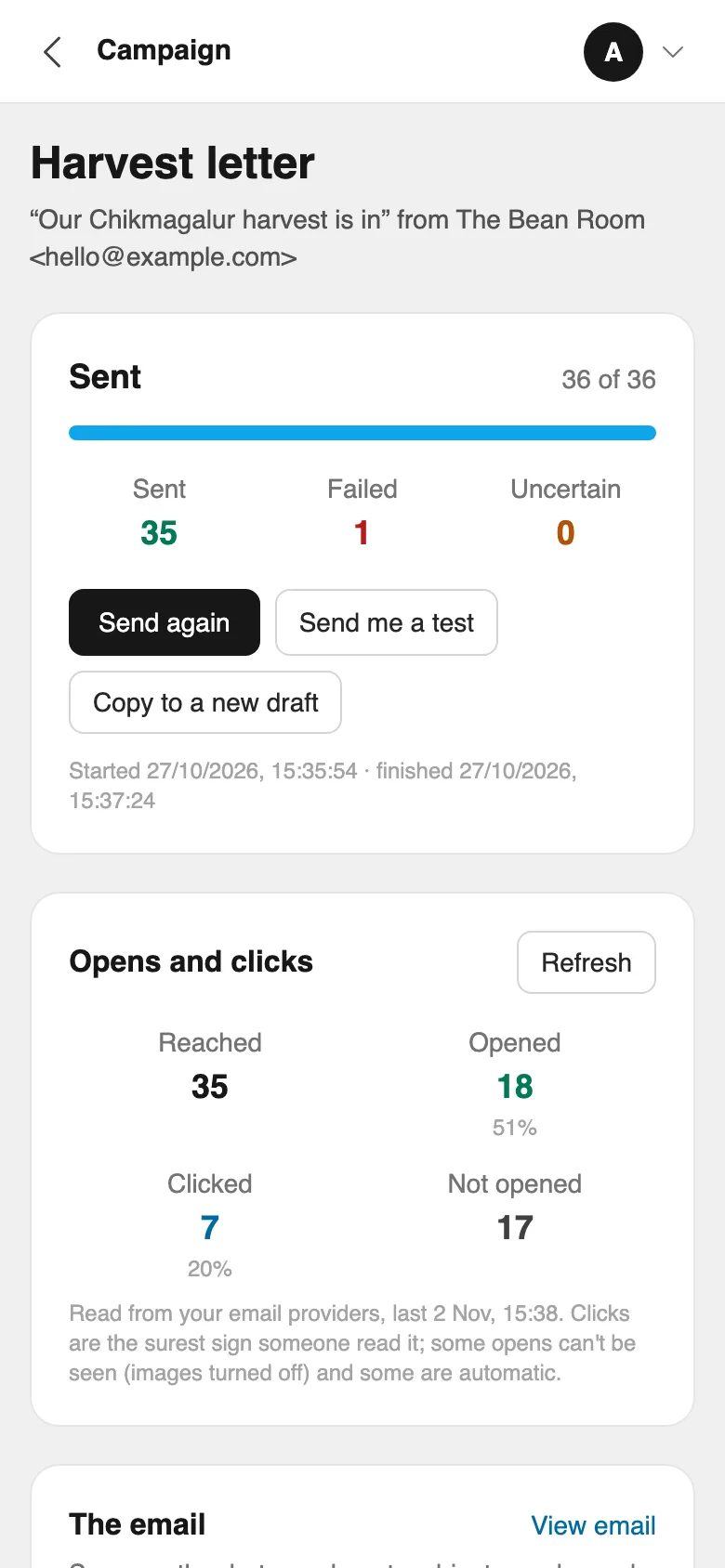
Who got it, opened it and clicked
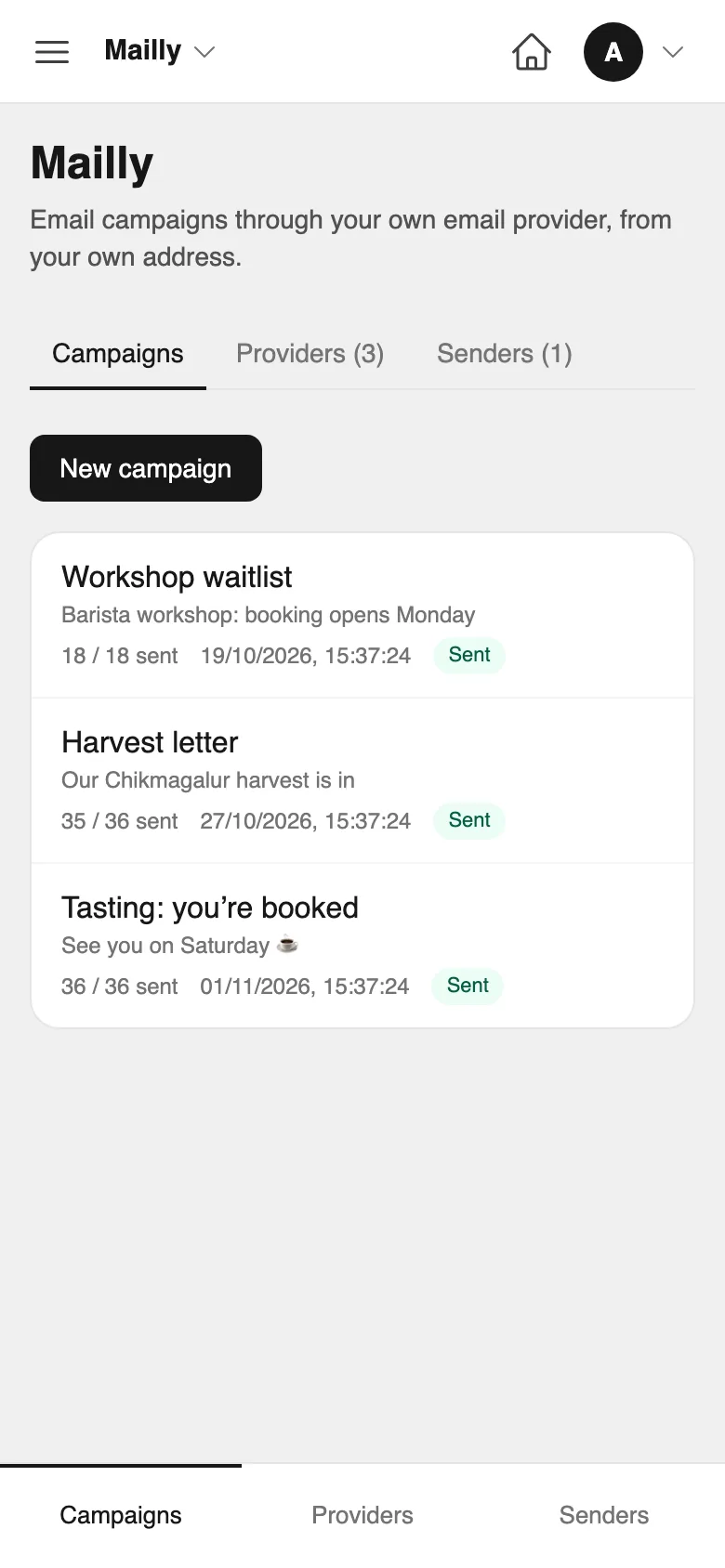
Your campaigns
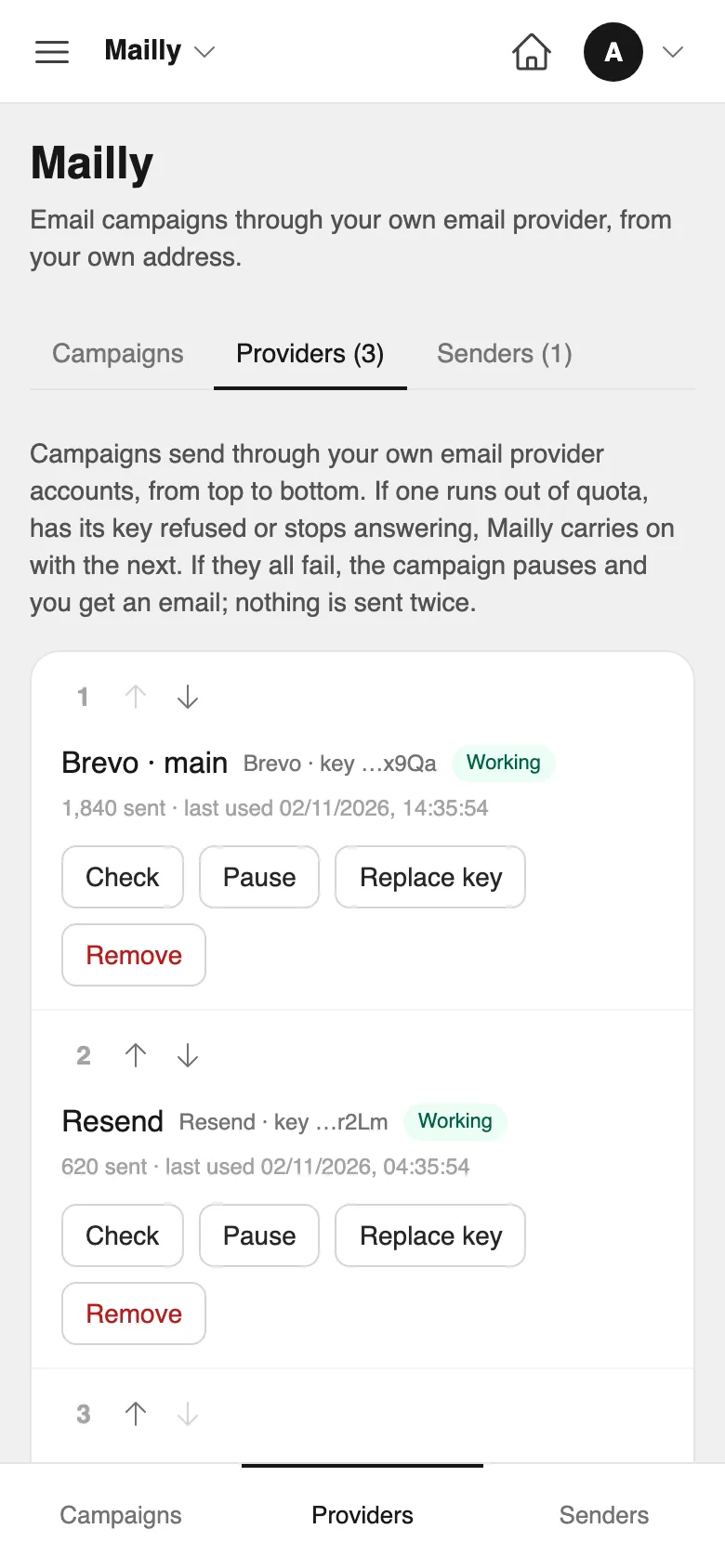
Your providers, tried in order
About this app
Connect Brevo, Resend, Maileroo or Mailgun with your own keys, and send campaigns to the contacts your forms and polls collect. Send again as your lists grow: only the new people get it.
Connect your own Brevo, Resend, Maileroo or Mailgun account and send campaigns to your contacts from your own address. Put your providers in order: if one runs out of quota or stops working, Mailly carries on with the next.
- Use your own provider keys and your own sending domain
- Failover: choose the order providers are tried in
- Big campaigns send in the background and pause safely if every provider fails
- Unsubscribe links and one-click unsubscribe in every email
How it works
Connect your email providers
Add your Brevo, Resend, Maileroo or Mailgun keys and put them in order. If one runs out of quota or stops working, the next one carries on.
Your contacts gather themselves
People who fill in your Forms, vote in your SuperPolls or subscribe to your channels land in Contacts, tagged by where they came from. Import a spreadsheet too.
Send, then send again as lists grow
Send a welcome email to everyone tagged "waitlist" today. When 50 more join next week, send it again: only the 50 new people get it.
Built for lists that keep growing
Only new people get it
Tags like "waitlist" or "marketing" keep growing. Send a campaign again and Mailly shows who is new, who already got it, and who it failed for; nobody gets it twice unless you choose.
Contacts from Forms and SuperPolls
Sign-ups, voters and suggestions arrive in your shared Contacts automatically, tagged by form or poll, ready for Mailly or WApply.
Your providers, in your order
Use the email accounts you already have. Quota used up, key refused, provider down: the next one sends, and you see why on the Providers page.
Several businesses, one account
Add a sender for each brand (Breathaway, CityInsider…) and choose who each campaign comes from, on its own domain.
Big lists in the background
Small campaigns go out at once; big ones are sent in batches. Pause and resume any time, and it carries on from where it stopped.
See it before it goes
Send yourself a test, preview the email exactly as people get it, and see who got it and who it failed for afterwards.
Safe for your reputation
Not promises to be careful: things the app is built to do.
Only people who said yes
Campaigns go to contacts with email consent. Anyone who unsubscribes is left out of every campaign from then on.
Nobody gets it twice
Every email is checked off before it goes, so a pause, a retry or a second click never sends the same campaign to anyone twice.
Unsubscribe in every email
A visible link and the one-click unsubscribe Gmail and Yahoo expect, so your emails are welcome rather than reported as spam.
Your keys are encrypted
Provider keys are encrypted before they are stored and never sent back to the browser, not even to you.
Buy this app
Choose a term. Auto-renew charges you each period through UPI AutoPay or your card until you turn it off; pay once covers one period and never renews. A later price change never affects what you have already signed up for.
₹892
per month
Auto-renew: UPI AutoPay or card. Cancel any time.
Or get it in a bundle
Bundle (WApply and Mailly) — monthly
Includes WApply + Mailly
₹1,700
per month
Auto-renew: UPI AutoPay or card. Cancel any time.
Questions
Do I need my own email provider?
Yes. Mailly sends through your own Brevo, Resend, Maileroo or Mailgun account, so emails come from your domain and your provider bills you for sending. Most have free tiers to start.
What happens if a provider runs out of quota?
The next provider in your list sends instead, and the one that ran out rests for a while. If every provider fails, the campaign pauses, you get an email, and resuming carries on from where it stopped.
Will anyone get the same email twice?
No. Within a send nobody gets it twice, and when you send a campaign again, people who already got it are skipped unless you tick the box to include them.
Who can I email?
Contacts who agreed to hear from you: people who ticked the updates box on your forms or polls, or people you confirm gave you permission elsewhere. Everyone can unsubscribe from every email.
Can I send from more than one business?
Yes. Add a sender for each, with its own name and address, and pick it per campaign. Each domain needs to be verified with your email provider.