- Price
- ₹720
- Kind
- Business tool
- Works on
- Any device
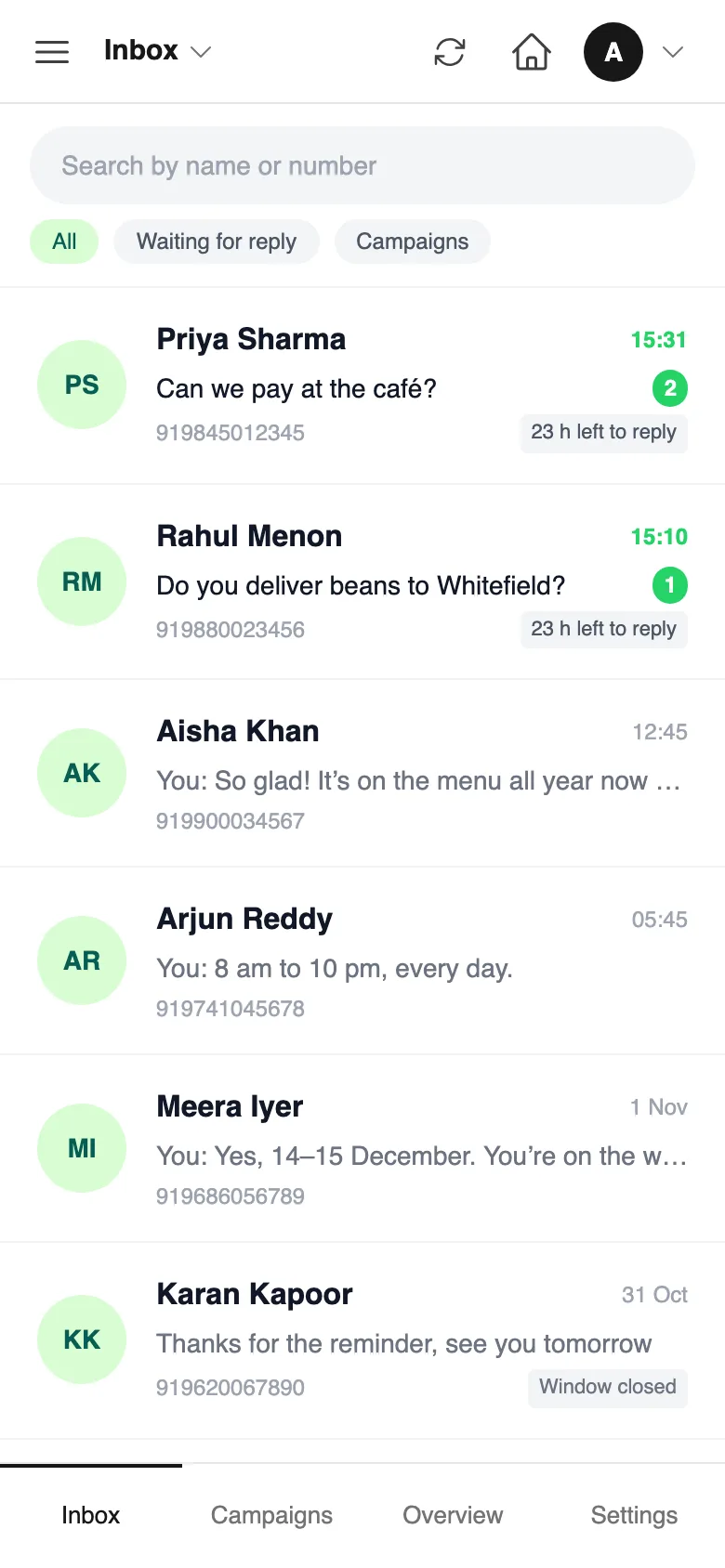
One inbox for every WhatsApp conversation
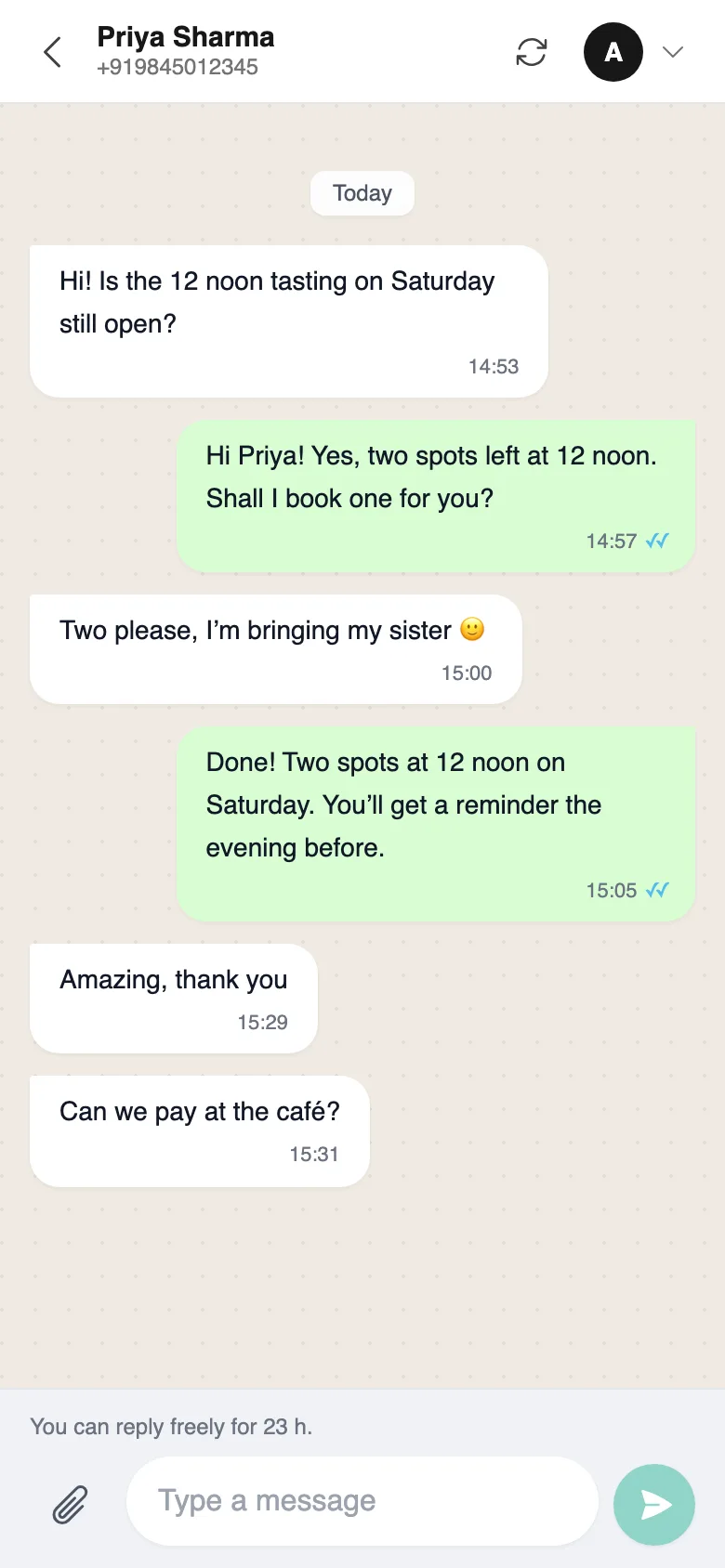
Reply from your own number
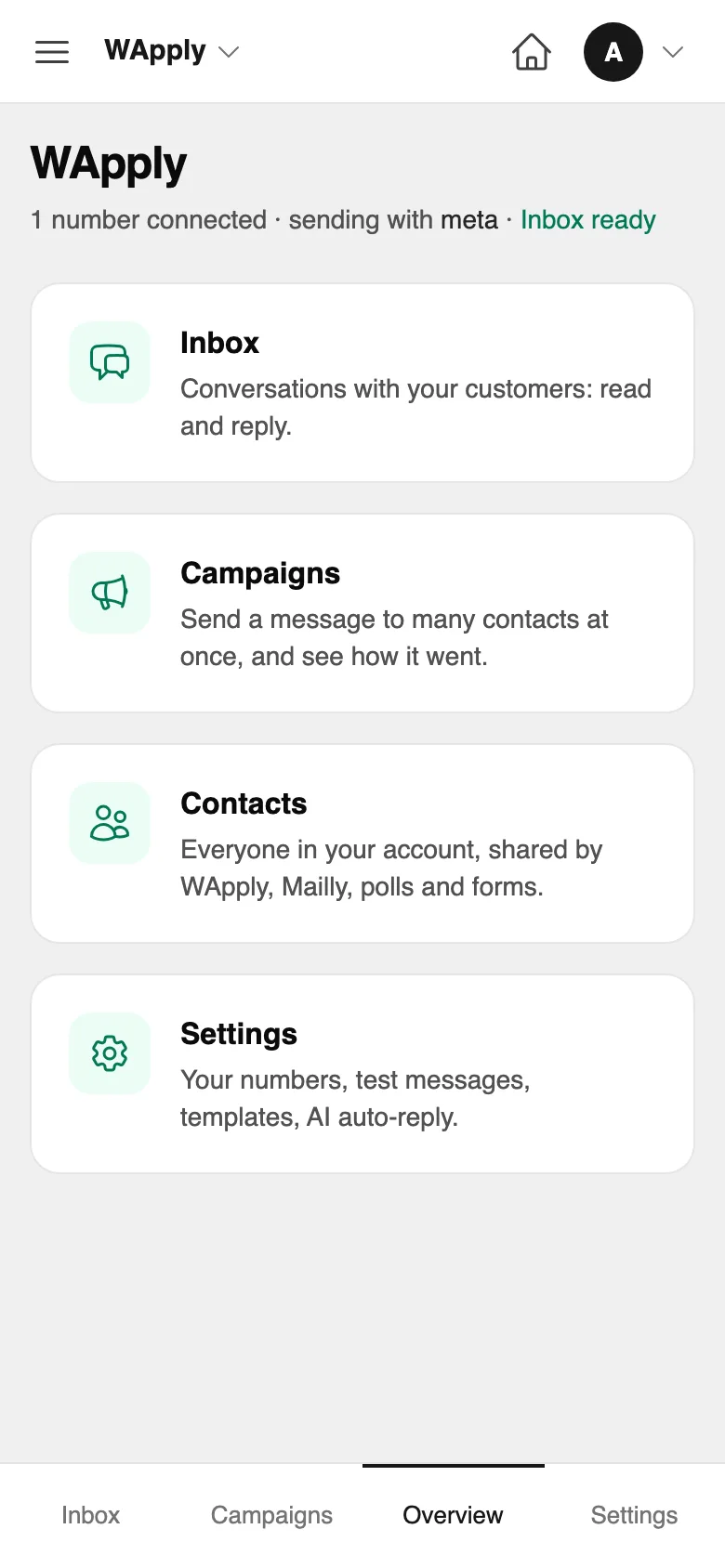
Inbox, campaigns, contacts and settings
About this app
Connect your WhatsApp Business account, keep every reply in one inbox, and send campaigns to exactly the people they are meant for.
Configure WhatsApp Business messaging, run campaigns, and manage contacts and templates. Optional add-on: AI auto-reply (your Gemini API key + business context) for incoming messages.
- Connect your own Meta WhatsApp Business account — your number, your sender reputation
- Hold several numbers on one account and choose which is active
- Inbox for incoming messages, threaded by contact, with replies from the dashboard
- Contacts with tags and CSV import
- Message templates, synced from your Meta account
- Campaigns of approved templates to contacts chosen by tag, sent in batches
- Sent or failed, for every recipient of every campaign
- Send a test message to verify a setup before going live
- Setup help from our team if Meta approval is unfamiliar territory
How it works
Connect your number
Add your Meta WhatsApp Business details once. Messages go out under your business name, from your number, on your account.
Bring your contacts
Import a spreadsheet, or let Forms and SuperPolls collect numbers for you. Tag them (a city, an event, a product) so each message reaches the right people.
Send, and see the replies
Pick an approved template and the tags to send to. Replies land in one inbox, threaded by person, and you answer from there.
Everything in one place
A shared inbox
Every incoming message, threaded by contact, with unread counts. Reply straight from the dashboard while the 24-hour window is open.
Campaigns by tag
Choose who a campaign goes to by tag, and it is sent in batches so a long list never stalls halfway.
Templates from your account
Your Meta-approved templates are synced in, so a campaign only ever uses wording Meta has already accepted.
Who got it, who did not
Every recipient of every campaign is marked sent or failed, with the reason when Meta refuses one.
More than one number
Keep several WhatsApp numbers on one account — one per brand or branch — and choose which one sends.
Test before you send
Send yourself a test message to check a new number or template before anything reaches a customer.
Only new people get it
Lists like "waitlist" keep growing. Send a campaign again and only the people who joined since get it; nobody gets it twice unless you choose.
Contacts from Forms and SuperPolls
Sign-ups and voters land in your shared Contacts automatically, tagged by form or poll, ready to message.
Your number, your rules
Not promises to be careful — things the app is built to do.
Your number stays yours
You connect your own Meta account. Nothing is sent from a shared number, and your sender name and quality rating are your own.
Access tokens are encrypted
Your Meta access token is encrypted before it is stored and is never sent back to the browser — not even to you.
Only you see your contacts
Contacts, conversations and campaigns belong to your account alone. No other LiteApp user can see or message them.
Opt-outs are respected
A contact marked as opted out is left out of every campaign automatically, so nobody has to remember to skip them.
Buy this app
Choose a term. Auto-renew charges you each period through UPI AutoPay or your card until you turn it off; pay once covers one period and never renews. A later price change never affects what you have already signed up for.
₹720
per month
Auto-renew: UPI AutoPay or card. Cancel any time.
₹7,500
Save 14%per year
Or get it in a bundle
Bundle (WApply and Mailly) — monthly
Includes WApply + Mailly
₹1,700
per month
Auto-renew: UPI AutoPay or card. Cancel any time.
Questions
Do I need a WhatsApp Business account?
Yes — a WhatsApp Business account on Meta, with a phone number registered to it. If you have not set one up before, our team can walk you through Meta’s approval.
Can I message anyone, any time?
WhatsApp only allows free-form messages within 24 hours of a customer writing to you. Outside that window, and for campaigns, you send templates that Meta has approved.
Who pays for the messages?
Meta bills your WhatsApp Business account directly for the conversations you start, at its own rates. LiteApp’s price is for the app.
Can I cancel?
Yes. A one-time payment simply ends with its period. If you chose auto-renew, turn it off from this page whenever you like and keep access until the end of what you paid for.